
Read the web like you wrote it.
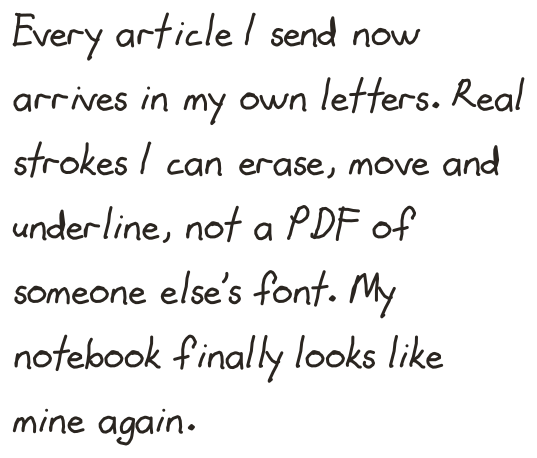
Remarkify is a Chrome extension and an iPhone and Android app that sends web articles to your reMarkable. Select text on any page, or share it from your phone, and it arrives as native handwritten strokes, in a handwriting font or your own hand. Not a PDF: real pen strokes.
%20scale(0.0703125)'%3e%3cpath%20d='M318.7%20268.7c-.2-36.7%2016.4-64.4%2050-84.8-18.8-26.9-47.2-41.7-84.7-44.6-35.5-2.8-74.3%2020.7-88.5%2020.7-15%200-49.4-19.7-76-19.7C63.3%20141.2%204%20184.8%204%20273.5q0%2039.3%2014.4%2081.2c12.8%2036.7%2059%20126.7%20107.2%20125.2%2025.2-.6%2043-17.9%2075.8-17.9%2031.8%200%2048.3%2017.9%2076.4%2017.9%2048.6-.7%2090.4-82.5%20102.6-119.3-65.2-30.7-61.7-90-61.7-91.9zm-56.6-164.2c27.3-32.4%2024.8-61.9%2024-72.5-24.1%201.4-52%2016.4-67.9%2034.9-17.5%2019.8-27.8%2044.3-25.6%2071.9%2026.1%202%2049.9-11.4%2069.5-34.3z'%20fill='%230A0A0A'%20/%3e%3c/g%3e%3c/svg%3e)

No credit card · Works in 30 seconds
- Q2 launch — confirm date with design team
- Budget review — approve before Friday
- Onboarding flow needs user testing
- API docs — assign owner
| Task | Owner | Due |
|---|---|---|
| Design mockup | Sara | Apr 8 |
| API integration | Tom | Apr 12 |
| QA testing | Lena | Apr 15 |
- reMarkable 1, 2, Paper Pro & MoveEvery current device
- 30 secondsFrom install to first note
- 5 free conversionsNo card, no expiry
See the transformation
Web page, then reMarkable.
Drag the handle to compare the original web content with the native handwritten strokes on your device.
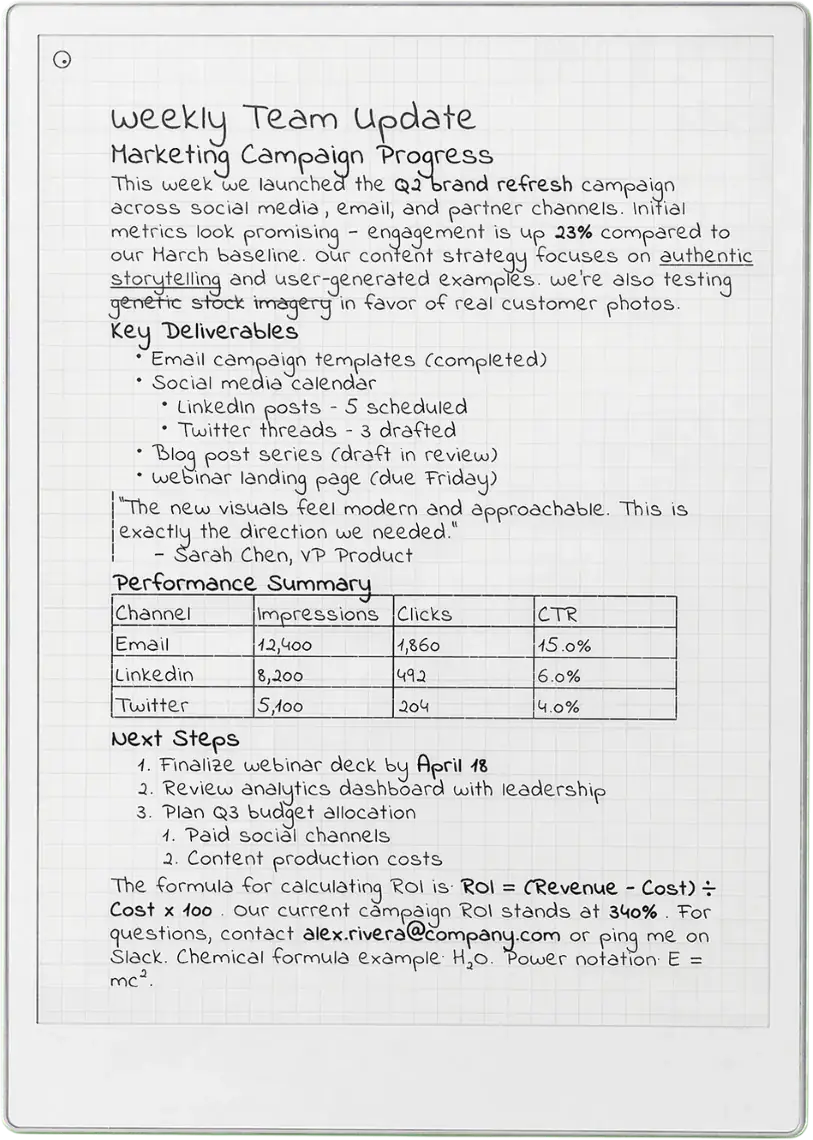 Paper Pro
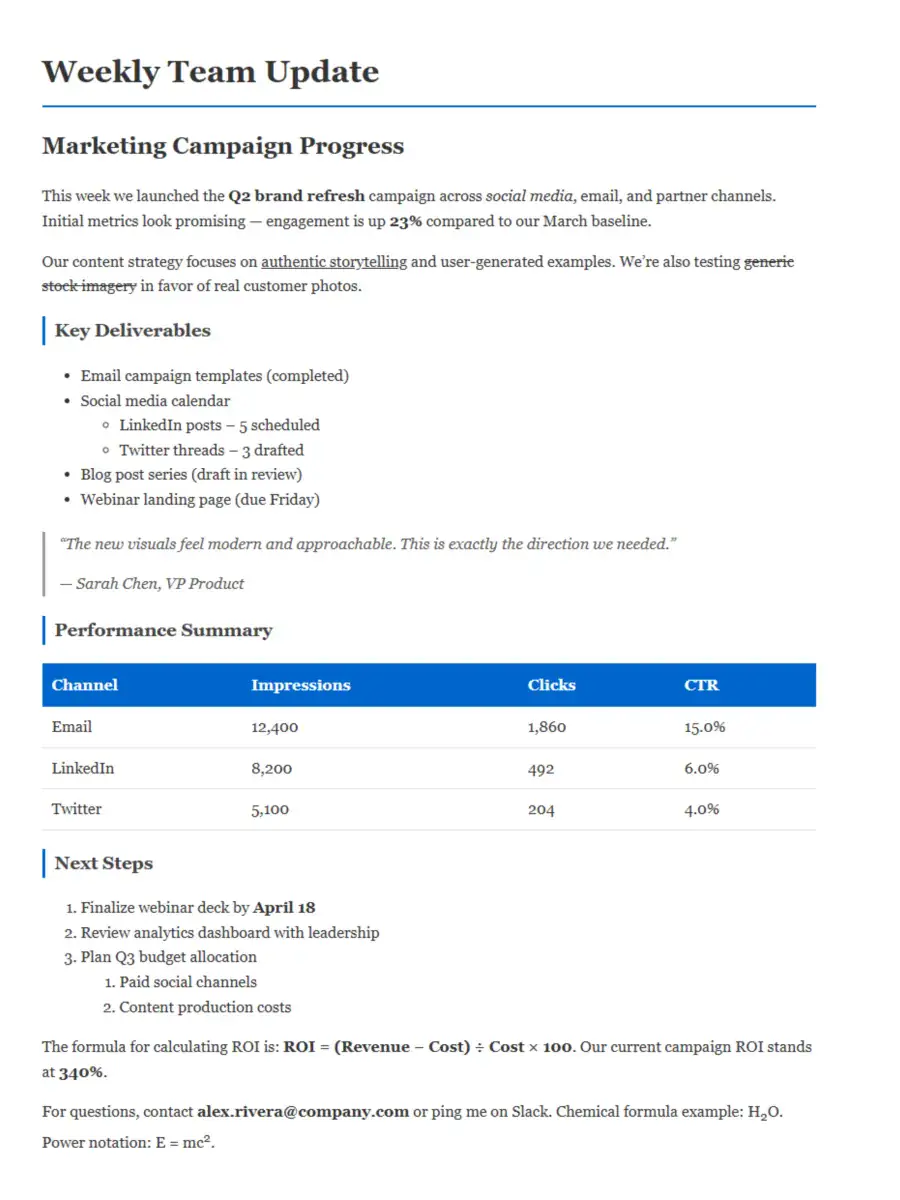 Web
Web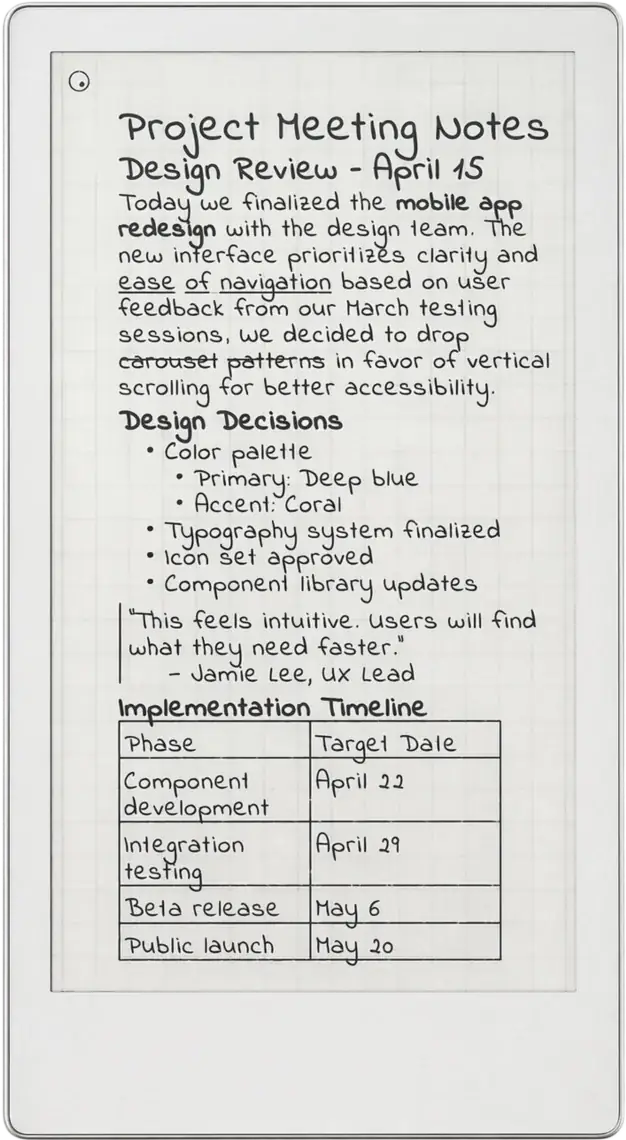 Paper Pro Move
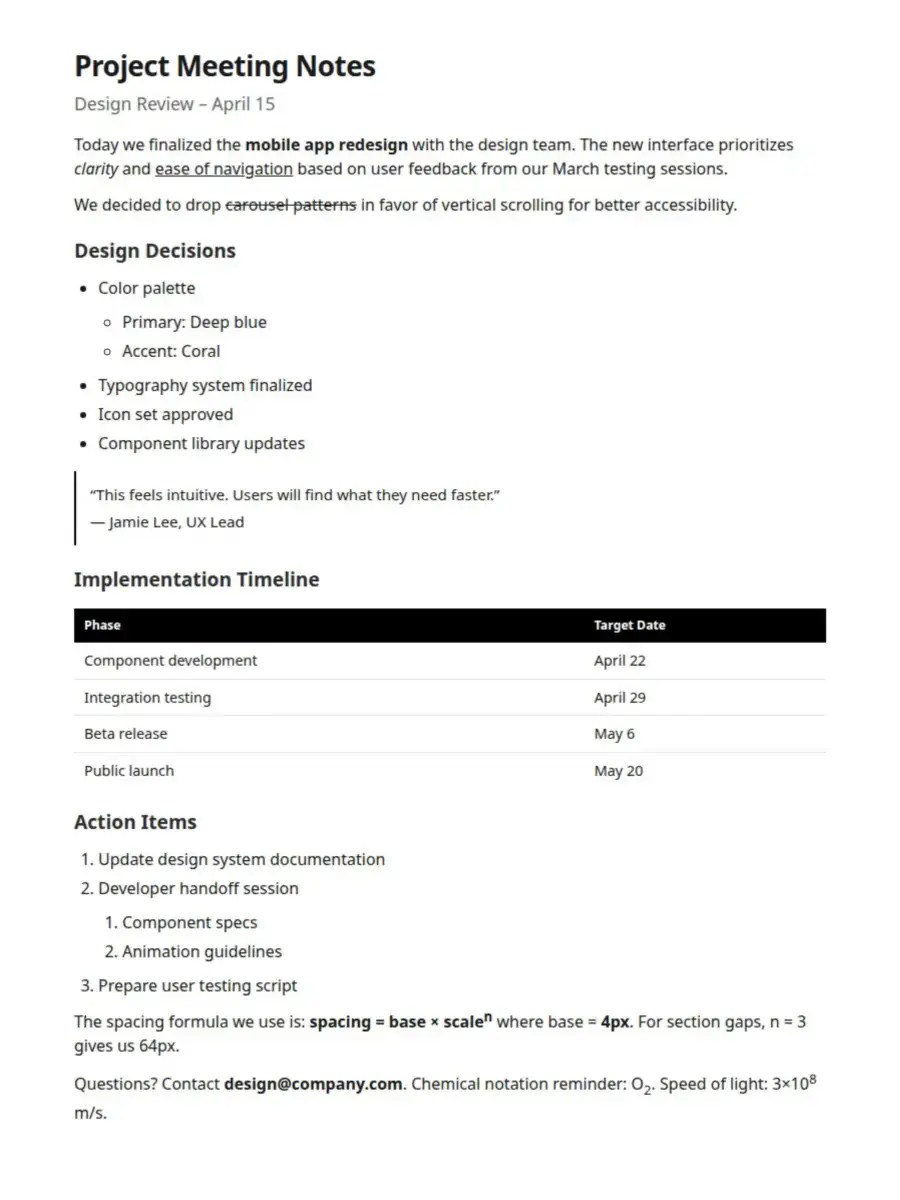 Web
WebThe usual way
Content that feels borrowed, not yours
- PDFs or read-only layers you can't touch
- Looks nothing like your notebook
- Can't edit, erase, or move the text
- Fixed formatting you can't control
With Remarkify
Content that feels like you wrote it
- Native handwritten strokes, not a static file
- Blends seamlessly with your own notes
- Edit, erase, and reposition freely
- Font, pen size, line spacing — all yours
- Syncs in seconds, zero file management
How it works
Two ways in. Same handwritten result.
Reading on your laptop or on your phone — pick the flow that fits, no setup either way.
Desktop
Chrome extension
- 01
Select text
Highlight any text on any webpage. An article, a quote, a research note — anything works.
- 02
Right-click and send
Choose “Send to reMarkable” from the context menu. That's the entire step.
- 03
Read your handwriting
It appears on your device in seconds — not as a PDF, but as editable native strokes.
 Add to Chrome
Mobile
iPhone and Android apps
- 01
Share from any app
Select text or a page in Safari, Notes, or anywhere else, tap Share, then choose Remarkify.
- 02
Edit before you send
Trim the text and pick your ink color right in the built-in editor — no need to go back to the app.
- 03
It lands on your device
Native handwritten strokes sync to your reMarkable in seconds — not a PDF, not a screenshot.
Your handwriting
Your handwriting, not a font.
Fill in one sheet on your reMarkable and Remarkify learns your letters. From then on, every article, highlight and note you send arrives written by you.
Send the sheet to your tablet
One tap adds an alphabet sheet to your reMarkable library.
Write each letter, then sync
Write every character in the box under it, with the pen you normally use. Skip any you like: missing ones fall back to the built-in font.
Build your font
Remarkify turns your strokes into a personal font. Pick it like any other font, and everything you send after that arrives in your letters.
Delete it any time from Preferences.
Built-in editor
Write it yourself. In color.
Don't need a web page at all — compose directly in Remarkify. Bold, italic, tables, photos you can crop and align, and 9 native ink colors, sent straight to your device as handwritten strokes.
Images (beta)
Photos, redrawn in ink.
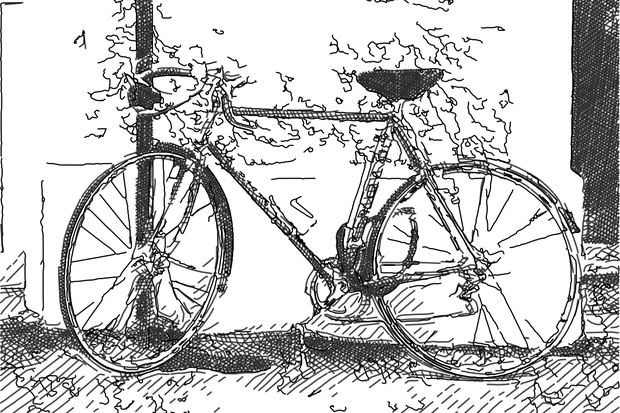
Images in your selection come along too, redrawn as pen strokes. Pick one of six drawing styles, or keep the original photo as it is.
 Original
Outlines plus loose directional shading — a quick pencil study.
What it handles
Not just plain text. Real formatting.
Tables, headings, lists and bold all become native handwritten strokes, exactly as you would write them.
| Feature | Status | ETA |
|---|---|---|
| Dark mode | In progress | Apr 20 |
| Export PDF | Done | — |
| Sync API | Planned | May 1 |
Tables that feel hand-drawn
HTML tables are converted into handwritten rows and columns — complete with headers, alignment, and cell borders rendered as pen strokes.
Who it is for
Built for people who actually read.
Whether you highlight research papers or save recipes, Remarkify turns web reading into notebook-ready handwriting.
Researchers & academics
Send key findings from papers, journals, and articles straight to your reMarkable. Annotate them like your own notes.
Students
Capture lecture summaries, definitions, and study material from the web. Review them in your handwriting — no print-outs.
Professionals
Save industry insights, meeting prep notes, and reference material. Keep your reMarkable as your single source of truth.
Law & legal
Extract case notes, statute references, and legal commentary. Editable strokes let you highlight and annotate directly.
Features
Built for focus.
Every detail designed to keep you thinking, not managing files.
Native handwriting format
Handwriting fonts are converted to real pen strokes. Not a PDF, not a static image — actual .rm strokes you can edit, move, and erase.
Tables, headings & lists
Tables, headings, lists, bold and italic are all preserved as handwritten strokes. Your content keeps its structure and weight.
Fully customisable style
Choose your font, pen size, line spacing, and device type. Make it look like your own notebook, not a printout.
Instant sync
Browser to reMarkable in seconds. No downloads, no cables, no file management. Select and forget.
Your own handwriting
Fill in one alphabet sheet on your tablet and Remarkify turns it into your personal font. Everything you send arrives in your letters.
Images included
Photos in your selection are redrawn as pen strokes: contour, sketch, crosshatch, ink wash or colored hatch. Or keep the original.
Pricing
Free to start.
No credit card required. Upgrade when you are ready.
Free
0 USD
Forever free
- 5 free trial conversions
- All fonts & image styles
- Capture your own handwriting
- Instant sync
Monthly
2.99 USD
Per month
12 monthly payments: 35.88 USD · Yearly plan: 24.99 USD
- 100 conversions per month
- All fonts & devices
- Priority processing
- Conversion history & re-send
Yearly
24.99 USD
Per year · save 30%
- Everything in Monthly
- 100 conversions every month
- One annual payment
- Early access to new features
FAQ
Common questions.
Guides: How to send web articles to your reMarkable · Remarkify vs Read on reMarkable vs rePub · All docs
Stop turning your reMarkable into a PDF dump.
Your device deserves better. Send real handwriting, not files.
- No credit card required
- Cancel anytime
- Works in 30 seconds